If you own a domain registered with Spaceship and want to point it to your GitHub Pages site, you need to configure two things: the nameservers or DNS records in Spaceship, and the custom domain setting in your GitHub repository.
Step 1 - Configure DNS Records in Spaceship
In the Spaceship dashboard, navigate to your domain and open the DNS Records section. You need to add A records pointing to GitHub Pages IP addresses, and a CNAME record for the www subdomain.
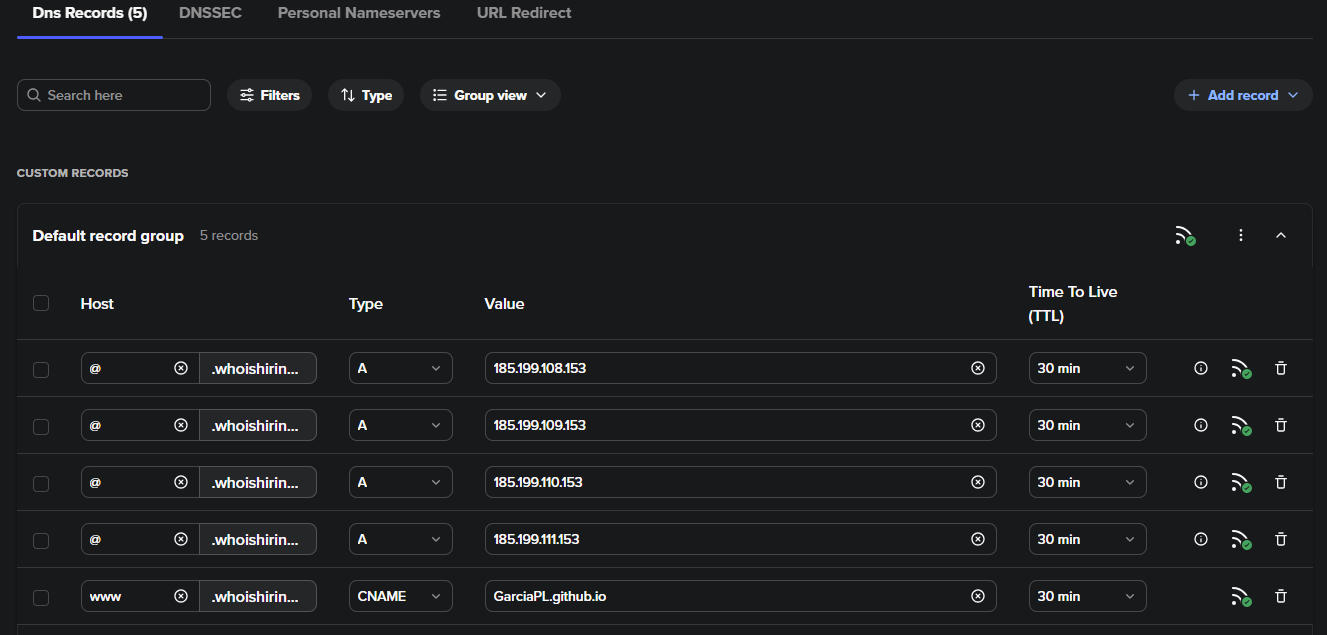
Add the following A records pointing your apex domain (@) to GitHub Pages:
| Type | Host | Value |
|---|---|---|
| A | @ | 185.199.108.153 |
| A | @ | 185.199.109.153 |
| A | @ | 185.199.110.153 |
| A | @ | 185.199.111.153 |
Also add a CNAME record pointing www to your GitHub Pages domain (e.g. username.github.io).
Step 2 - Configure Nameservers
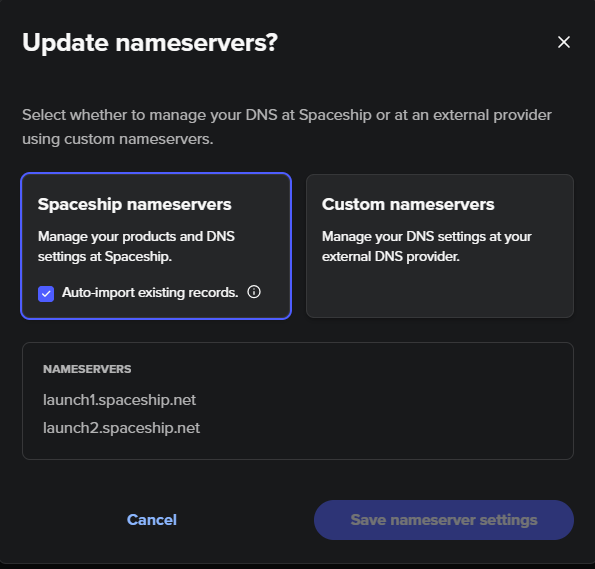
In my case I needed to switch domain’s nameservers over to Spaceship. In the Spaceship dashboard, navigate to your domain and update the nameservers to the ones provided by Spaceship. This ensures that Spaceship is authoritative for your DNS and that the records you configure in Step 1 take effect.
Step 3 - Set Custom Domain in GitHub Pages
In your GitHub repository, go to Settings > Pages and enter your custom domain. GitHub will verify the DNS configuration.
DNS propagation can take anywhere from a few minutes up to 48 hours depending on your TTL settings and DNS provider caches.
References
Managing a custom domain for your GitHub Pages site - GitHub Docs